 Scriptfox
ScriptFox Walkthrough: The Voice-Aware Teleprompter I Built for Creators
Hey Folks — this is the first one. First post under the ScriptFox brand, first video, the whole thing. So I want to do what I'd want done for me if I were the one checking out a new tool: just walk you through it. No hype, no big pitch. Let me show you what I built and why I built it.
Here's the short version of the "why." I've recorded a lot of videos. And for years the teleprompter was the enemy. You set the scroll speed, you start talking, and within about ten seconds you're either racing to catch up to the text or sitting there waiting for it like you're stuck at a red light. Either way it shows on camera. You get that glassy, reading-out-loud look. So you re-record the same 40 seconds six times trying to sound like a human.
ScriptFox is my answer to that. It's a teleprompter that listens to you and follows along — plus the stuff around it I always wished I had: a place to keep my scripts, an AI that actually helps me write them, and analytics so I can see what landed. Let me take you through it.
The dashboard
This is home base. When you log in, this is what you see.
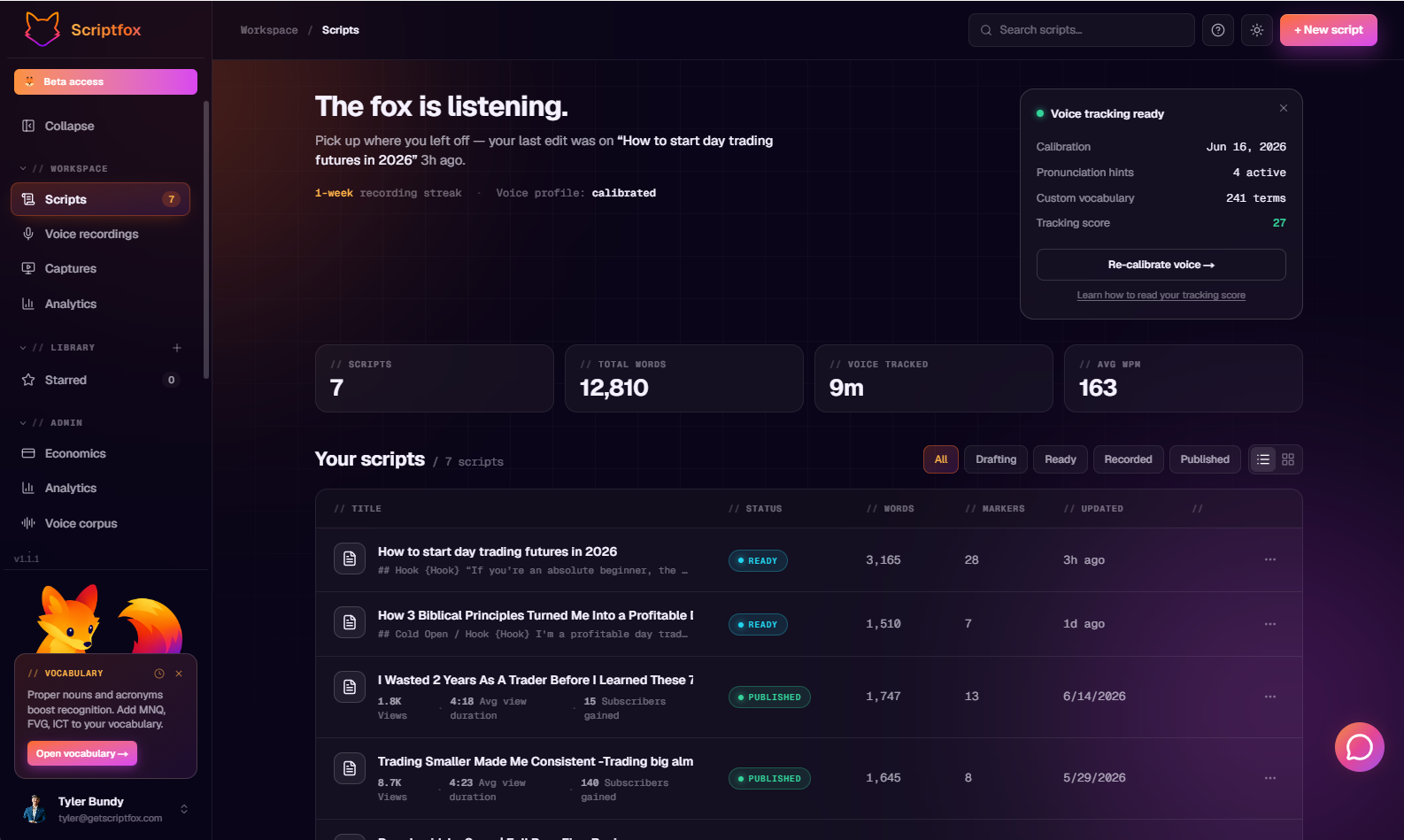
Everything lives here — your scripts, where each one stands, what's published, how it's doing. The idea was that I shouldn't have to dig through three different apps to figure out what I've written, what I've shot, and what's actually working. It's all on one screen. Scripts, total words, minutes of voice tracked, your average words per minute — right up top.
Scripts and statuses
Look at that script list and you'll see a little colored tag next to each one. That's the status, and it tells you exactly where every piece of content stands. The flow is:
- Draft — you're still writing. Messy is fine. This is the idea-dump stage.
- Ready — the script is locked and ready to put in front of the camera.
- Recorded — you've shot it. Now it's waiting to go live.
- Published — it's out in the world.
Does that make sense? It's the same path every piece of content takes anyway — you just usually track it in your head or on a sticky note. Here you can glance at the board and know what's done and what still needs your attention. You can even filter the list by status when you want to see just what's ready to shoot.
Publishing and analytics
Here's where it stops being just a writing tool. Once your video is live, you drop the YouTube link onto the script — that's actually what marks it published — and ScriptFox starts pulling in the analytics for you.
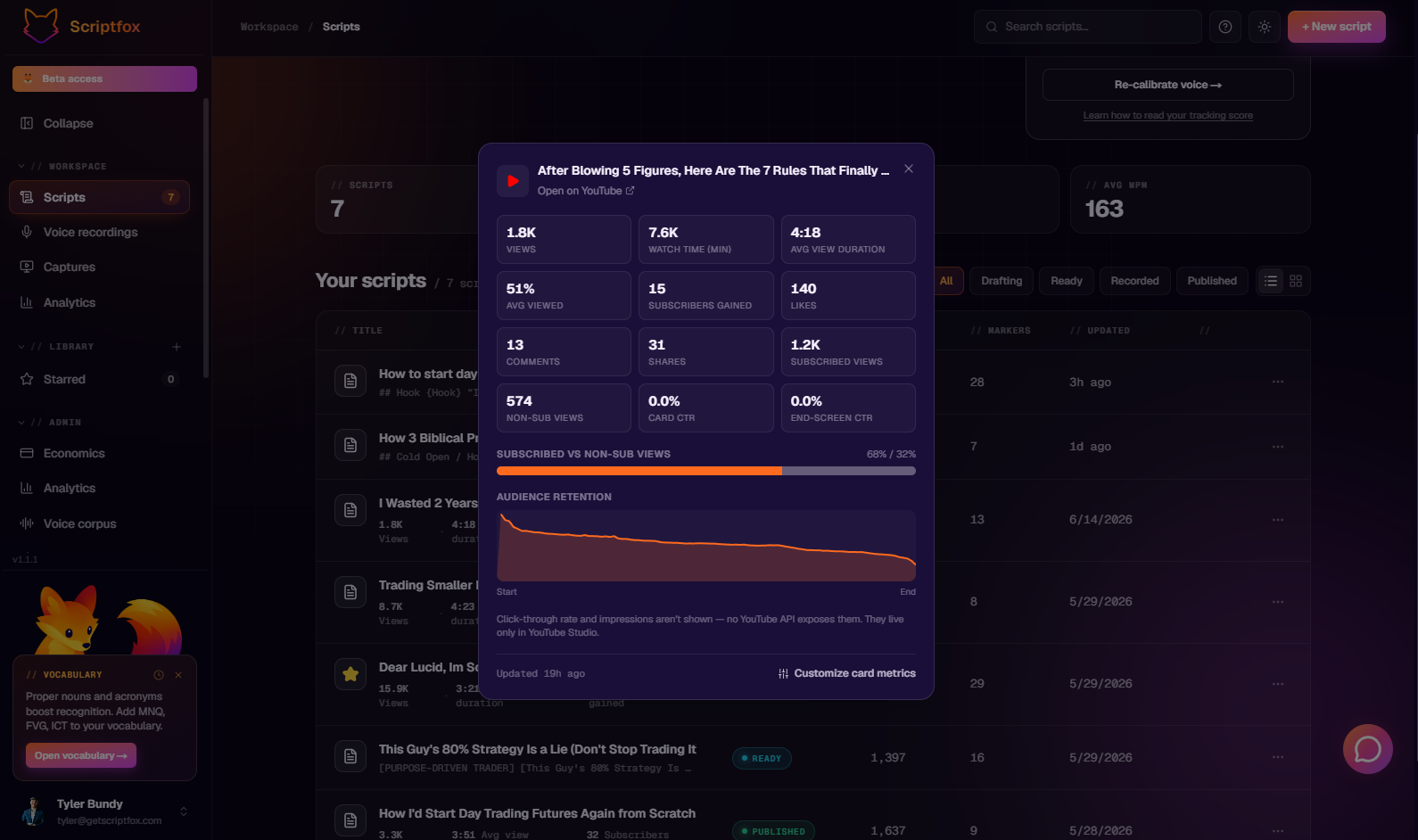
Views, watch time, average view duration, subscribers gained, the retention curve — all of it sitting right next to the script you wrote. So now your words and the actual performance of the video live in the same place. You wrote it here, you read it here, and now you can see how it did. Over time that's the part I'm most excited about, because that's how you learn what works instead of guessing.
The editor and the AI
Let's go into the editor, because this is where you'll spend real time.
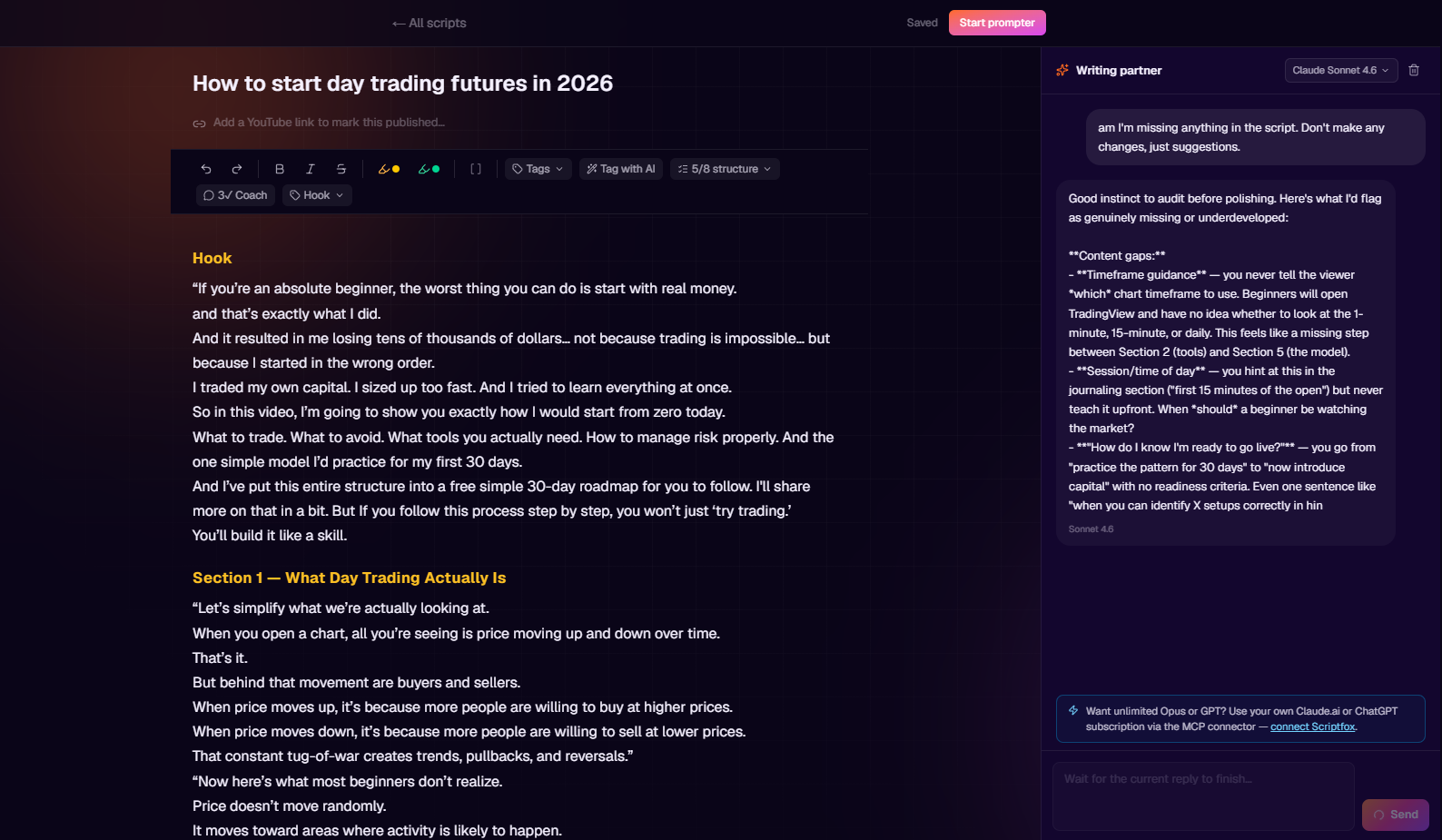
It's a clean writing space, but the part that matters is the AI connected to it. And I mean connected — it can see your whole script, not just the sentence you're on. So when you ask it to help, it actually knows the context. In that shot up there I asked it what I was missing, and it came back with real gaps — timeframe guidance, when a beginner should actually go live — not vague filler.
Tighten this paragraph. Clarify this point. Give me a stronger opening line. Help me rephrase this so it doesn't sound stiff when I say it out loud. It's like having a writing partner sitting next to you who's already read the whole thing. You're still the one writing it — it just helps you get unstuck and sharpen what's there.
The teleprompter
Okay. This is the one. This is the reason ScriptFox exists.
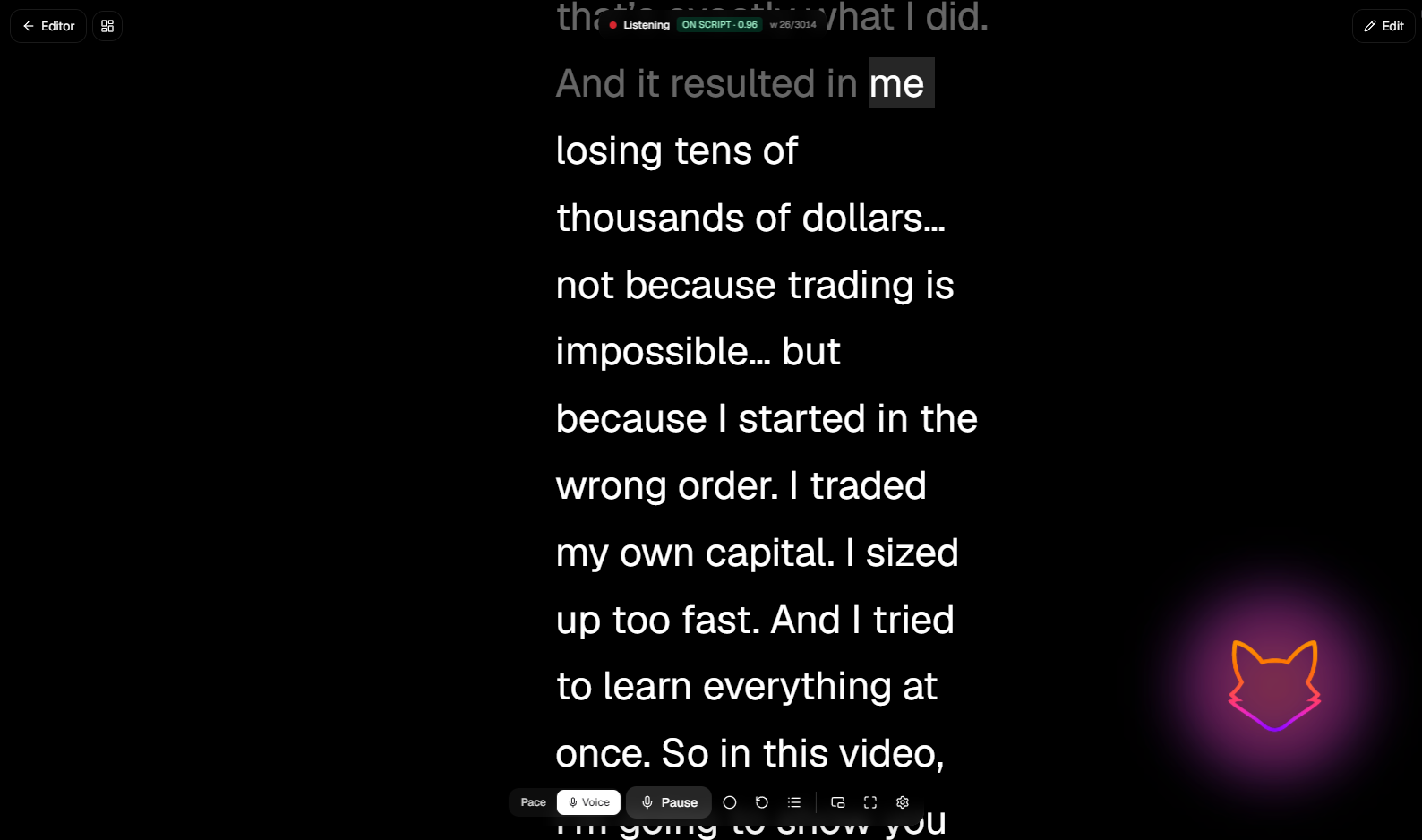
Most teleprompters scroll on a timer. ScriptFox follows your voice. See that little "Listening — on script" tag up top, and the fox glowing in the corner? That's it tracking the exact word you're on. Here's what that means in practice.
When you start, it just sits there. It will not move until you start reading the script. No countdown, no guessing the speed. You begin talking, it recognizes the words, and it follows you — at your pace. Speed up, it speeds up. Slow down to make a point, it waits for you. Stop talking, and it pauses and holds right where you left off.
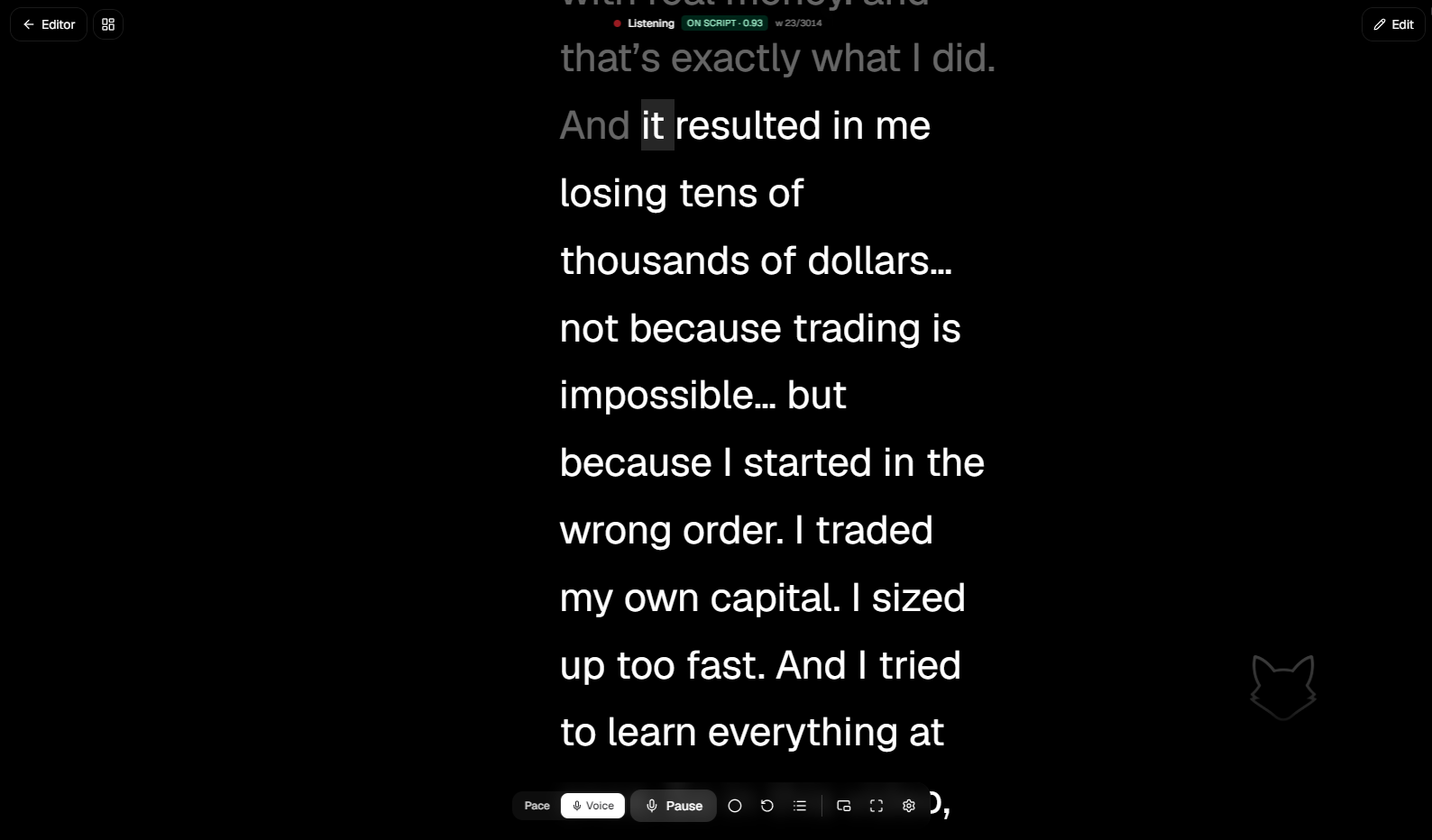
That alone changes how it feels on camera. You're not chasing the text or waiting on it. You're just talking, and the words are there when you need them.
Then there are the voice commands. Say you're reading along and you flub a line. You don't have to reach for the mouse or stop the whole take. You just talk to it:
- "Start over" — or "restart" — and it jumps back to the top.
- "Next block" — or "go to the next block" — and it moves you forward to the next section.
And it's not locked to those exact words. It's smart enough to understand the different ways people actually say things, so you're not memorizing magic phrases. You just talk to it like you'd talk to a person.
Picture this: you're three sentences into a section, you stumble, you mutter "let's start over," and the prompter's already back at the top waiting for you. No reaching off camera. No breaking your flow. That's the whole point.
Recorded and edited in ScriptFox Studio
One more thing, and this is the part I think is kind of fun. The video that goes with this post? I recorded and edited the entire thing in ScriptFox Studio. So the walkthrough you're watching is the tool filming itself, basically. I'm not showing you something I use sometimes — this is what I actually make my content with.
Watch the full walkthrough
Here's the video version of everything above, so you can see it all in motion:
That's the tour. This is just the start — there's a lot more coming — but if you've ever fought with a teleprompter that didn't fight back, I think you'll get why I built this.
God Bless.