 Scriptfox
ScriptFox vs PromptSmart: an honest voice-tracking teleprompter comparison
There are really only two teleprompter apps that actually listen to you while you talk — that follow your voice instead of scrolling at some speed you set. PromptSmart and ScriptFox.
Full transparency before we go one word further: I built ScriptFox. Which means I'm biased — and it also means I know exactly where PromptSmart still beats my app. So this isn't a takedown. It's the comparison I'd want if I were spending my own money, and by the end I'll tell you plainly which app I'd point you to, because for some of you the honest answer is PromptSmart.
Why does voice tracking matter in a teleprompter?
A normal teleprompter scrolls at a fixed speed. You stumble, it keeps rolling. You pause to think, it keeps rolling. You speed up on the part you know cold, and now you're waiting for your own script. That mismatch is why talking-head videos take fifteen takes.
Voice tracking flips it: the prompter listens. You pause, it pauses. You come back, it picks you up. Once you've recorded that way, a fixed-scroll prompter feels like fighting your own equipment. Both apps in this comparison get this fundamental thing right — which is exactly why they're the only two worth comparing.
Which has better voice tracking?
PromptSmart invented this category. Their patented VoiceTrack technology scrolls as you speak, handles multiple languages, stops when you pause or improvise, and resumes when you return to the script. It's solid, and it's been solid for years. Full credit.
The frustration shows up when you go off script for more than a moment. Stay off for thirty-plus seconds and PromptSmart resumes where you left the script — not where you landed. If you ad-libbed your way past two paragraphs, you're now scrolling by hand mid-take to catch up.
That exact frustration is why ScriptFox's tracking is built around re-syncing. Ad-lib, jump ahead, skip a paragraph you decided you don't need — it finds you. There's also a 90-second calibration that learns your accent and your vocabulary, so niche terms (in my world: tickers and trading jargon) don't throw it off.
Verdict: if you read straight through your script, honestly, it's a tie. If you ad-lib, ScriptFox is the one built for how you actually talk.
What platforms do they run on?
PromptSmart is phone-first — native iOS and Android apps plus a web portal. It's the veteran choice for the classic phone-on-a-tripod setup.
ScriptFox is browser-first — it runs on Mac, Windows, and iPad with nothing to install, and there are now iPhone and Android apps too, so your scripts follow you from the desk to the phone. The piece I use every day is Floating Mode: a detachable script window that sits right under your webcam, so desk recordings get real eye contact.
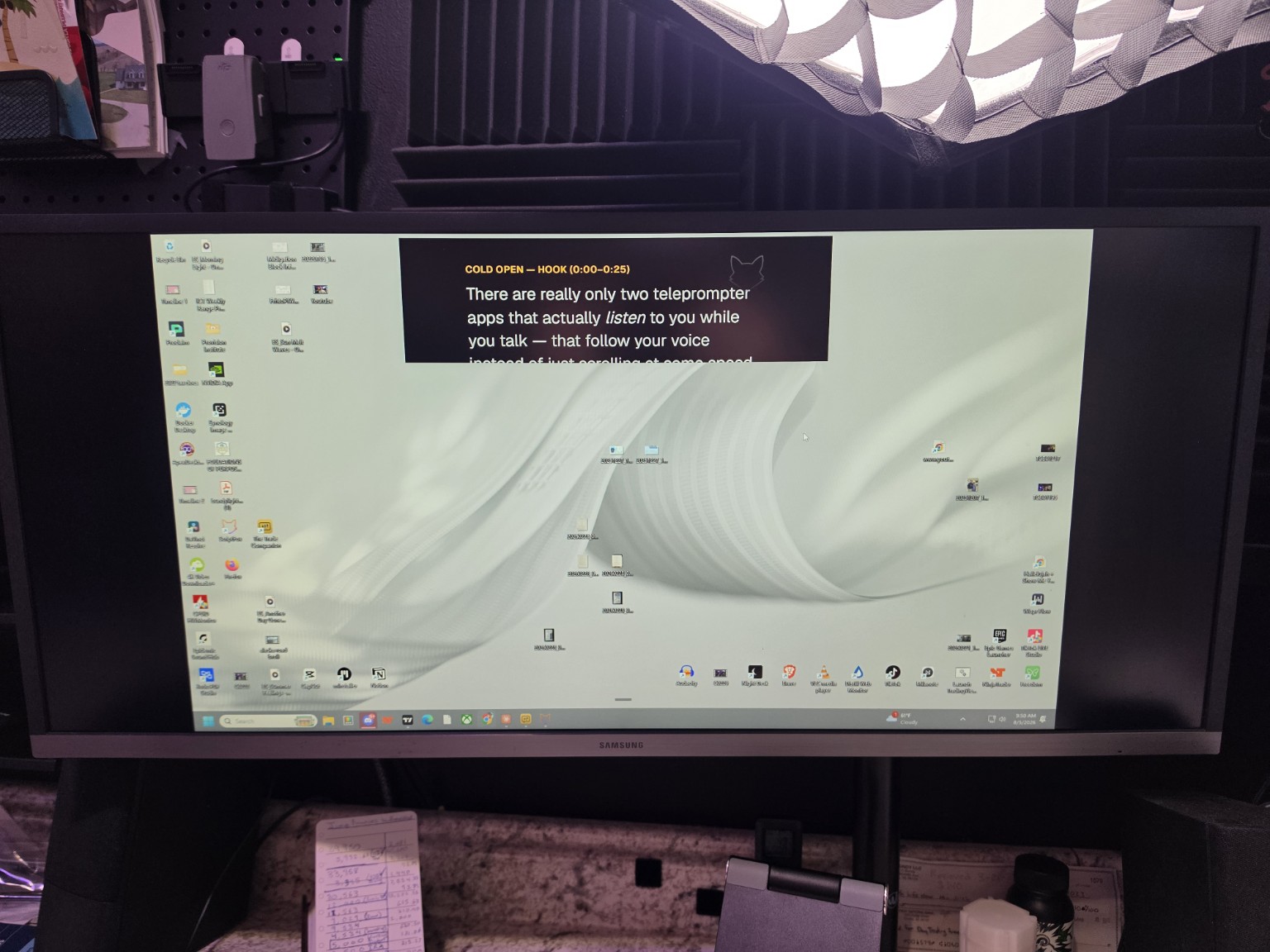
And here's the payoff: when you record, the floating prompter never shows up in the footage. You're reading right under the lens, but the viewer just sees your screen.
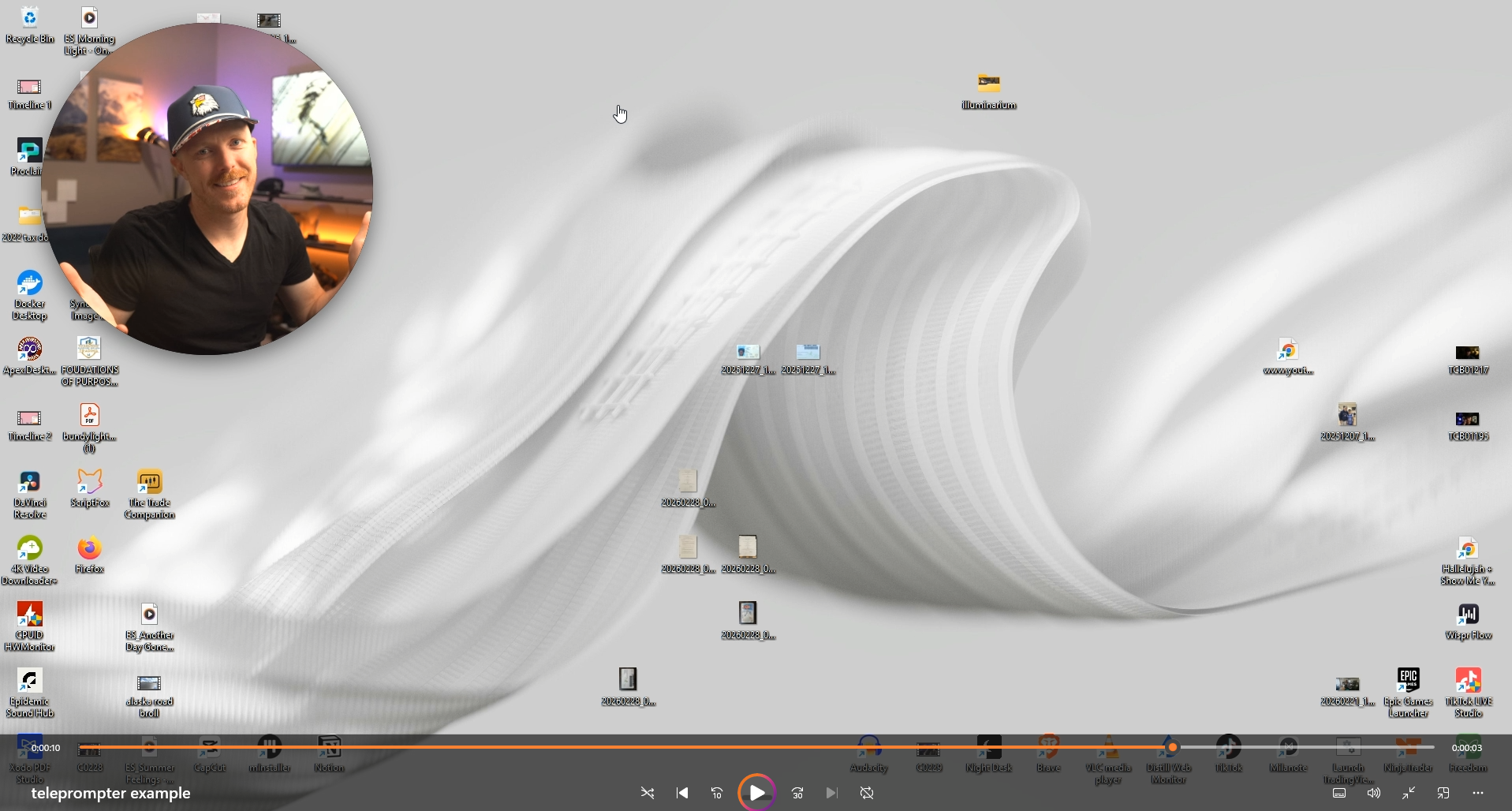
Verdict: both cover mobile now. If you ever record at a computer, ScriptFox is the one designed for it.
Which is better for hands-free recording?
ScriptFox is built to be driven entirely by voice. "Hey Fox" commands start and pause the prompter, jump to a tagged section ("Hey Fox, jump to the CTA"), change the pace, record takes, replay them, and mark the keeper — without touching the keyboard mid-session. You can tag sections of your script and move between them by name.
Each command has default phrasings and you can add your own — "pause" also answers to "hold on," "wait," or "freeze," and if Fox misses the way you say something, you just add a variant. You're not memorizing rigid syntax; you're teaching it how you talk.
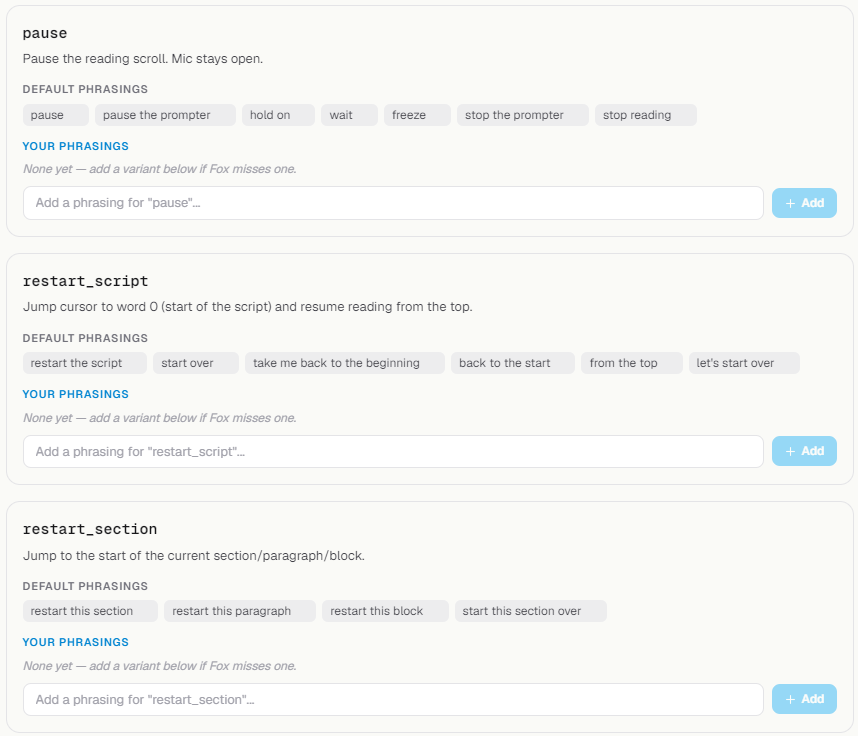
That's just three of a much longer list of commands.
PromptSmart's answer is different but genuinely good: waypoints, plus a web control room where someone else drives the prompter remotely. If you record with a producer or a crew, that remote-operator setup is a real advantage, and ScriptFox doesn't have an equivalent.
Verdict: solo creator at a desk → ScriptFox. Working with a producer or team → PromptSmart's remote control is legitimately the better tool.
What about writing, screen recording, and editing?
Here's where the two apps stop being comparable, because PromptSmart is a teleprompter and ScriptFox is trying to be the production line.
- Writing: ScriptFox has an AI writing partner inside the script editor — draft, tighten, or restructure right where you're prompting from.
- Screen recording: ScriptFox records your screen in-app, and the overlay prompter floats over your slides, charts, or demo without ever showing up in the recording.
- Editing: your camera takes and screen recordings land in ScriptFox's editor — pick the keeper takes, cut, done.
Write → prompt → record → edit, one flow, no exporting between four tools. PromptSmart simply doesn't compete here — not a knock, it's just not what it's for.
What happens after you publish?
This one's for the YouTubers. ScriptFox connects to your YouTube channel and maps the retention curve back onto your script — you see the exact section where viewers bailed, sentence by sentence, and an AI coach suggests what to tighten next time. Your script stops being a one-way document and starts being a feedback loop.
If you don't publish to YouTube or don't care about retention analytics, skip this section entirely — it shouldn't factor into your decision.
How much do they cost?
PromptSmart Pro is a one-time purchase — about $30 on iOS at the time of writing, with optional subscription add-ons — and there's a free Lite version. Check the App Store for current pricing. Pay once, own a very good teleprompter: that model is genuinely appealing.
ScriptFox is free for 30 minutes of voice tracking a month, then Pro is $19/month and Studio is $39/month. Yes, that's a subscription — but it's replacing a prompter, a writing tool, a screen recorder, and an editor, so compare it against the stack, not just the prompter.
ScriptFox vs PromptSmart at a glance
| Capability | ScriptFox | PromptSmart |
|---|---|---|
| Voice-following scroll | Yes | Yes (patented VoiceTrack) |
| Re-syncs after long ad-libs | Yes — finds where you landed | Resumes where you left off |
| Accent + vocabulary calibration | Yes (90-second setup) | No |
| Platforms | Browser (Mac/Windows/iPad) + iPhone/Android | iOS/Android + web portal |
| Floating prompter for desk | Yes | No |
| Hands-free voice commands | Yes ("Hey Fox") | No — waypoints + remote operator |
| Remote control by a producer | No | Yes — web control room |
| AI writing partner | Yes | No |
| In-app screen recording | Yes | No |
| Built-in take editing | Yes | No |
| YouTube retention mapped to script | Yes | No |
| Pricing | Free 30 min/mo · Pro $19/mo · Studio $39/mo | ~$30 one-time on iOS + optional subs · free Lite |
So which one should you buy?
Buy PromptSmart if you read your script straight through, you record on your phone, and you want to pay once and be done. It's a mature, well-built app and it will serve you well. I mean that.
Use ScriptFox if you ad-lib, you record at a desk or across devices, or you want the whole pipeline — writing, prompting, screen recording, editing, and retention feedback in one place.
The real dividing line is one question: are you buying a teleprompter, or are you building videos?
The takeaway
Don't take my word for any of this — I told you up front I'm biased. ScriptFox has a free tier with 30 minutes of voice tracking a month, no card required; PromptSmart Lite is free too. Put the same script in both, record two or three videos head-to-head, and keep whichever one gets you to a finished video faster. That's the only verdict that matters.